Your team still runs Monday reports through an Excel macro only one person understands. When that file breaks or that person leaves, the workflow stops, and rebuilding it costs hours nobody budgeted for.
This comparison shows where Tasks.Bot covers the automation macros used to handle and where spreadsheets still win. You will learn how voice notes, deadline reminders, and live reports work in WhatsApp, what the beta and free trial include, and who should actually make the switch.
What Is Tasks.Bot? WhatsApp-Native Task Automation Explained
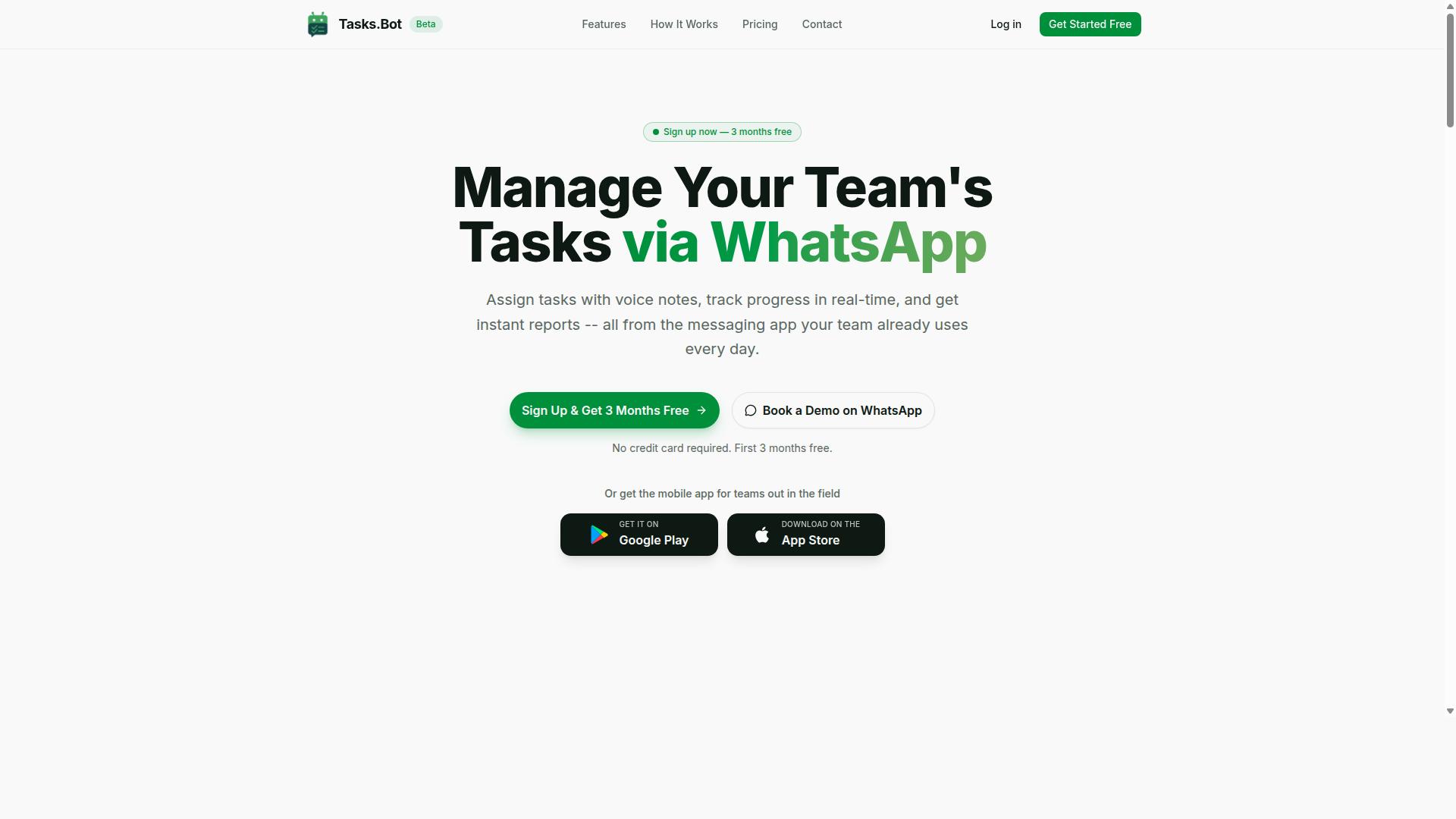
Tasks.Bot is a task management platform that operates entirely within WhatsApp, allowing teams to assign tasks, track progress, and receive reports without leaving the messaging app. It is a WhatsApp-native automation platform built for teams that already treat the messaging app as their main communication channel.
The core idea is simple. Instead of asking staff to open a separate dashboard, download a new tool, or create another account, Tasks.Bot keeps work inside the conversation people already use every day. For teams comparing this approach to an Excel macro replacement, the appeal is that no VBA, script automation, or desktop automation setup is required at all.
Tasks.Bot uses AI to interpret natural language and voice notes for task creation. A supervisor can describe a job in plain speech, and the platform turns that input into an actionable task rather than a message that gets lost in a thread.
Beyond the chat layer, Tasks.Bot also offers a mobile app for field teams. That matters for workers who are away from a desk and cannot sit in front of a spreadsheet. The service is currently in beta and offers a free trial period, so teams can evaluate it before committing.
Who Tasks.Bot Serves and How It Replaces Manual Workflows
Tasks.Bot is designed for teams that already use WhatsApp for communication, particularly those with field staff who need task management, attendance tracking, and payroll-ready hours. The site mentions hundreds of teams already using the service.
This audience often relies on manual processes that are slow and easy to break. Common examples include paper-based task assignment, phone calls to confirm who is doing what, and spreadsheet tracking that only one person can update at a time. Tasks.Bot replaces those steps with activity inside a chat window.
Practical examples show how this works in daily operations:
- Assigning tasks through voice notes, so a manager can dispatch work without typing
- Automatic reminders that reduce follow-up calls and missed jobs
- Real-time progress updates that keep everyone informed as work moves forward
Team members do not need to install anything or create new accounts. That lowers the barrier for field staff who may be resistant to new software, and it removes the training overhead that usually comes with a new workflow automation rollout.
For teams weighing this against an Excel macro replacement or a VBA alternative, the difference is structural. Macros run on a desktop and depend on a file being open and maintained. Tasks.Bot runs in the cloud through WhatsApp, so task scheduling and updates travel with the team rather than staying tied to one machine.
Can Tasks.Bot Replace Excel Macro Automation? The Direct Answer
Tasks.Bot can replace Excel macro automation for many task management and workflow scenarios, but it is not a direct substitute for all macro use cases. The two tools solve different problems, and treating them as interchangeable leads to the wrong choice.
Tasks.Bot is a task management platform built around WhatsApp. It handles voice note task creation, automatic task assignment, smart deadline reminders, approvals and automations, and instant reports. These are people-and-process workflows. Excel macros, by contrast, are code routines written in VBA that manipulate cells, run calculations, and touch other Microsoft Office applications.
The dividing line is simple. If your automation is about who does what, by when, and who approves it, Tasks.Bot fits. If it is about crunching numbers inside a spreadsheet, macros still win.
So the honest answer is conditional. Teams that used macros mainly to chase status updates, send reminders, or route approvals can move those jobs to Tasks.Bot without writing a line of code. Teams that used macros for bulk data processing or offline spreadsheet automation should keep them, or pair them with a platform like Tasks.Bot for the human side of the workflow.
Where Tasks.Bot Matches Macro-Style Automation
Tasks.Bot matches macro-style automation in areas like trigger-based task creation, scheduled reminders, and approval workflows that would otherwise require VBA scripting. Each of these is event-driven, which is exactly how many macros operate: something happens, and a defined action follows.
Consider the common matches:
- Automatic task assignment based on a trigger, such as a new message arriving
- Smart deadline reminders that keep work moving without manual follow-up
- Approval chains that route a request to the right person in sequence
- Instant reports generated from activity rather than assembled by hand
In a macro-driven setup, each of these would typically mean a VBA script, a trigger event, and ongoing maintenance when something breaks. Tasks.Bot delivers the same outcome through no-code automation. There is no macro recorder, no debugging, and no risk of a broken reference library stalling the file.
The platform also uses AI to understand user intent and create tasks from messages. That matters because it removes the rigid syntax problem. A macro needs an exact trigger. Tasks.Bot can work from a natural language instruction, which lowers the barrier for team members who have never opened the VBA editor.
Tasks.Bot is available on Android and iOS with push notifications, voice capture, and a home screen widget, so the automation reaches people where they already work. For workflow automation that depends on human response, that reach is the whole point.
Where Excel Macros Still Have the Edge
Excel macros still have the edge for heavy data manipulation, complex calculations, and offline spreadsheet automation that does not involve team collaboration. Tasks.Bot is not designed for these spreadsheet-centric jobs, and pretending otherwise would set up a failed migration.
The strongest macro use cases include:
- Bulk data processing across large ranges, where VBA loops through thousands of rows
- Intricate financial models with layered formulas and iterative calculations
- Offline operations that must run without an internet connection
- Direct interaction with Excel objects and other Office applications through COM add-ins
That last point is significant. Excel VBA can reach into the workbook itself, read and write cells, format ranges, and drive other Microsoft Office programs. This is desktop automation at the object level, and a cloud platform cannot replicate it.
Tasks.Bot is a connected service. Its strengths, WhatsApp task management, approvals, reminders, and reporting, all assume people and messages in the loop. A macro that recalculates a pricing model at 6 a.m. on a local machine has no people in the loop at all.
The practical guidance is to separate the two categories before choosing. Ask whether the automation is about people and processes or about spreadsheet data crunching. The first belongs in Tasks.Bot. The second belongs in VBA, or in a script-based tool built for that purpose. Many teams end up running both, with macros handling the numbers and Tasks.Bot handling the humans who act on them.
Key Features That Automate What Macros Used to Do
Tasks.Bot offers a suite of features that automate task management processes, often replacing the need for custom Excel macros. Where a VBA alternative once required someone to write and maintain scripts, Tasks.Bot handles the repetitive work through built-in automation that runs inside WhatsApp.
The platform covers voice note task creation, natural language AI, smart deadline reminders, approvals, automations, instant reports, a live day tracker, and tasks on a map. Each feature targets a job that teams previously solved with spreadsheet automation, macro-based scheduling, or manual follow-up.
The difference is focus. Excel automation was built for numbers, not people, so macro-driven task tracking often lacked collaboration and real-time visibility. Tasks.Bot is designed around team coordination, so status updates, assignments, and reminders stay current without anyone rebuilding a workbook.
Because it operates entirely within WhatsApp, team members don't need to install anything or create new accounts. That lowers the barrier that usually comes with adopting a new automation platform, and it keeps the workflow where conversations already happen.
Voice Note Task Creation and Natural Language AI
Tasks.Bot allows users to create tasks by simply sending a voice note or typing a natural language message in WhatsApp. The AI understands user intent and creates tasks from those messages, so there is no structured form to fill in and no VBA input box to code.
This matters because task entry has always been the slowest part of any tracking system. A manager can send a voice note saying "Assign John to inspect site A by Friday," and Tasks.Bot creates the task automatically, pulling out the assignee, the job, and the deadline from ordinary speech.
Consider what that replaces. In a macro-based setup, someone had to design a user form, validate the fields, and write script automation to route the record. Here, the input is a message, and the extraction is handled by natural language processing.
It is a no-code approach to automation. Teams get the benefit of structured task data without the maintenance burden of Excel VBA, and the same natural language handling applies whether the message is typed or spoken.
Smart Deadline Reminders, Approvals and Automations
Tasks.Bot sends smart deadline reminders, manages approval workflows, and triggers automations based on task status changes. Reminders reach assignees as deadlines approach, which cuts down on the manual follow-ups that normally fall to a coordinator.
Approvals work the same way. A task can require sign-off, and once approved, subsequent actions can be triggered automatically. This is event-driven automation in practice: a status change becomes the trigger, and the next step fires without a person pushing it along.
- Smart deadline reminders keep assignees aware as due dates approach
- Approvals let tasks require sign-off before moving forward
- Automations trigger follow-up actions when task status changes
Compare that to a macro-based reminder system in Excel. A workbook might rely on cron scheduling or a job scheduler to open, scan dates, and send mail, and any break in the file or the machine stops the whole chain. Tasks.Bot runs as cloud automation, so the reminders and triggers do not depend on a desktop staying switched on.
No coding is required at any stage. There is no script to debug, no COM add-in to maintain, and no Office automation to repair after an update.
Instant Reports, Live Day Tracker and Tasks on a Map
Tasks.Bot generates instant reports, provides a live day tracker, and shows tasks on a map for field team visibility. Reports cover task status, completion rates, and team performance without anyone compiling data by hand in a spreadsheet.
The live day tracker shows what tasks are in progress right now, which gives managers a current picture rather than a snapshot from yesterday's file. The map view displays task locations, a practical detail for field teams working across multiple sites.
These features also support face-verified attendance and shifts, leave, and hours management, so operational data sits alongside task data. For teams that once built dashboards with complex macros, the reporting layer arrives already assembled.
That is the core advantage over spreadsheet automation. A macro-driven dashboard has to be refreshed, protected, and rebuilt whenever the underlying structure changes. Real-time visibility here comes from the platform itself, which means decisions rest on current information instead of a file that may or may not have been updated.
Pricing and Plans: Tasks.Bot vs the Hidden Cost of Excel Macros
Tasks.Bot offers a straightforward pricing model with a 'Full Access' plan, while Excel macros often come with hidden costs like development time and maintenance. That contrast matters when you are weighing an Excel macro replacement for recurring spreadsheet work.
The 'Full Access' plan includes all features, so there is no juggling of tiers or add-on modules. Pricing is listed in Indian Rupees (₹) and US Dollars ($), and the site provides a 'Select currency' option, so you can verify the figure in your preferred currency before committing.
| Plan | Price | Billing Basis |
|---|---|---|
| Monthly | ₹200 per member per month | Recurring monthly |
| Annual | ₹1,200 per year per member | Recurring yearly, save 50% (save ₹1,200/yr per member) |
New users also get 3 months free, no credit card required, and can cancel anytime. That removes the usual procurement friction you face when evaluating a no-code automation platform.
Now compare that to the true cost of an Excel VBA macro. The line items rarely stop at the first build.
- Initial VBA development: someone has to write and test the macro before it saves a single minute.
- Ongoing maintenance: macros break when sheet layouts, column orders, or file paths change.
- Debugging: silent failures and wrong outputs can take hours to trace.
- Skilled personnel: Excel VBA expertise is a specialist skill, and it often sits with one person.
Those costs are unpredictable. A macro that works today may need rework next quarter, and the person who built it may have moved on. That is the quiet risk of script automation tied to a single desktop.
Tasks.Bot's subscription, by contrast, is predictable and scalable. You pay per member, all features are included, and support is part of the plan. Adding a teammate is a simple per-member cost rather than a new development project.
For teams replacing Excel macros with cloud automation or trigger-based automation, that shift changes the budget conversation. Instead of funding one-off VBA work and hoping it holds, you fund a recurring plan with a known figure. The decision becomes a comparison of a fixed subscription against an open-ended maintenance burden, and for most growing teams the fixed side is far easier to defend.
Trust Signals: Beta Status, Encryption and Refund Policy
Tasks.Bot is currently in beta, but it already includes encryption and a refund policy to build trust with early adopters. For anyone weighing a move away from Excel VBA and toward a modern automation platform, those three signals, beta status, encryption, and a published refund policy, matter more than a long feature list.
They tell you how the product is being built and how the company treats the people who rely on it. That is especially relevant for teams using Tasks.Bot as an Excel macro replacement, where spreadsheets often carry sensitive operational data.
Beta status is often read as a warning sign. In practice, it is an opportunity to shape the product rather than inherit someone else's fixed decisions. Early users of a no-code automation tool can raise gaps in workflow automation, task scheduling, or trigger-based automation while the roadmap is still open.
Feedback from real spreadsheet automation work tends to carry more weight than feedback collected after a product has frozen its priorities. If a team needs a specific cron scheduling pattern or an event-driven automation path for a recurring report, the beta window is when that request is most likely to land.
The honest trade-off is that beta software can have rough edges. A feature may behave inconsistently, documentation may lag behind the build, and edge cases in a job scheduler or task runner may surface only under real load. That is a reasonable price for influence, provided the team plans for it.
A sensible approach is to keep critical month-end or compliance-driven jobs on the existing setup while moving lower-risk spreadsheet automation to Tasks.Bot first. That way the beta is tested where mistakes are cheap, and confidence grows before anything mission-critical depends on it.
Encryption is the second trust signal, and it addresses the most common objection to cloud automation. When a workflow moves data out of a local workbook and into a hosted service, the question is whether that data is protected in transit and at rest. Tasks.Bot states that it uses encryption to protect data, which puts it in the category of platforms that treat data protection as a baseline rather than an add-on.
That matters for Excel automation specifically. A macro-free automation setup often touches customer records, payroll figures, or supplier pricing, the same content a finance or operations team would never leave in an unprotected shared drive.
Encryption does not replace good access habits, but it does remove one of the strongest arguments for keeping everything locked inside a local.xlsm file. For teams that have resisted a VBA alternative on security grounds, this is a meaningful point in favor of making the switch.
The third signal is the refund policy mentioned in the footer of the site. It functions as a safety net: if the platform does not fit a team's workflow automation needs, the financial exposure is limited. That lowers the risk of trying a beta product, which is exactly what a refund policy should do.
It also signals confidence. A company that expects churn would not publish a refund term. Readers comparing options should still read the footer text themselves and confirm the exact conditions, but the presence of a stated policy is a positive indicator rather than a neutral one.
For field teams, there is a further trust signal worth noting: face-verified attendance. Attendance verification is a common weak point in distributed operations, where sign-ins can be shared or faked. A face-verified approach ties a check-in to a real person rather than a password.
That matters when attendance data feeds into spreadsheet automation for payroll, shift reporting, or job costing. If the underlying record is unreliable, every downstream calculation inherits the error. Verification at the source protects the integrity of the whole chain, from the field check-in to the final report.
It also reduces the manual reconciliation work that usually falls to an administrator, which is one of the main reasons teams look for an Excel macro replacement in the first place.
There is also a human channel for evaluating the platform before committing. The website includes a Book a Demo on WhatsApp option, which lets a prospective user ask questions directly rather than infer answers from a feature page. For teams that want to see how a trigger-based automation or API integration would map to their own process, that conversation is more useful than a generic walkthrough.
Taken together, the trust picture for Tasks.Bot is clear. Encryption protects the data, a refund policy limits the downside, face-verified attendance strengthens the accuracy of field records, and a direct demo channel answers questions early. The beta label is not a reason to wait. It is a reason to start with the workflows that carry the least risk, give feedback while it still shapes the roadmap, and expand from there. For teams ready to leave Excel VBA behind, Tasks.Bot offers a credible, low-risk path into cloud automation.
Who Should Use Tasks.Bot for Macro Replacement Automation
Tasks.Bot is ideal for teams that rely on WhatsApp for communication and need to automate task management, especially those with field staff. Instead of building and maintaining Excel macros to chase updates, assign jobs, or compile status reports, these teams can move that work into a no-code automation flow that runs where their people already talk.
The key distinction is whether your automation is people-centric or data-centric. Excel VBA and similar script automation excel at crunching numbers inside a workbook. Tasks.Bot fits the other side of the job: getting the right task to the right person, capturing completion, and keeping a live view of what is happening.
Tasks.Bot is a SaaS product available globally, with no country restrictions. That means distributed teams, remote crews, and businesses operating across regions can adopt it without worrying about local hosting or installation limits.
Several groups tend to get the most value from replacing Excel macro replacement automation with Tasks.Bot:
- Teams already on WhatsApp: If coordination already happens in chats, moving task assignment and tracking into that same channel removes the friction of a separate tool.
- Field service teams: Staff working off-site need tasks delivered to a mobile device, not buried in a spreadsheet on an office desktop.
- Small and medium businesses without dedicated IT: Companies with no VBA developer on hand can avoid hiring one just to keep macros running.
- Teams needing real-time task tracking and reporting: When status needs to be visible as work happens, a static workbook falls short.
Consider a field service operation that currently uses an Excel macro to generate a daily job list. Someone has to open the file, run the macro, export it, and send it out. With Tasks.Bot, that same coordination happens through WhatsApp and mobile apps, so the task reaches the technician directly. The automation is triggered by the work itself rather than by someone remembering to press a button.
It is worth being clear about where Tasks.Bot is not the answer. If your core need is heavy spreadsheet computation, complex financial modeling, or manipulating large datasets inside Excel, a macro or a Python automation script may still be the better tool. Tasks.Bot is built for task management and communication, not for replacing every function a workbook performs.
The strongest fit is a team that has outgrown manual coordination but does not want to invest in bot development or maintain fragile VBA code. These are the users who benefit most from a cloud automation platform that works through channels they already use every day.
In short, if your automation goal is moving tasks, tracking progress, and reporting status across a real team, Tasks.Bot is a strong fit. If your goal is pure number crunching inside a file, keep the macro. The right choice depends on what you are actually trying to automate.
Final Verdict: Is Tasks.Bot Worth Switching To?
Tasks.Bot is worth switching to if you need WhatsApp-native task automation and your workflows are more about team coordination than spreadsheet manipulation. For that specific use case, it answers a question that Excel macros were never designed to handle: how do you turn a message in a chat thread into a tracked, assigned task without writing a single line of VBA?
Its strengths line up neatly with the pain points of macro-based workflows. Where an Excel macro replacement usually means rebuilding logic in a new tool, Tasks.Bot takes a different route through no-code automation and AI-powered task creation. Nothing needs to be scripted, maintained, or debugged when a workbook changes.
- WhatsApp integration: tasks live where teams already communicate, so there is no separate app to check or train people on.
- No-code automation: no VBA, no script automation, and no macro upkeep when files or formats shift.
- AI-powered task creation: task setup is handled by the platform rather than manual data entry.
- Transparent pricing: costs are clear up front, which matters when comparing against the hidden labour of maintaining Excel VBA.
The honest caveats are worth stating plainly. Tasks.Bot is in beta status, so it is still maturing. It is also built for task management, not as a full Excel replacement. If your requirement is heavy spreadsheet automation, complex formulas, or desktop automation tied to Microsoft Office, this is not the tool for that job.
So the recommendation depends on what you are actually replacing. Teams that built macros purely to route work, assign owners, and chase status updates will find Tasks.Bot a compelling alternative to building and maintaining Excel macros. Teams whose macros perform calculations, manipulate large datasets, or drive Office automation should keep those macros and treat Tasks.Bot as a coordination layer instead.
For further inquiries, reach out by phone at +91 97143 42522 or by email at [email protected].
Frequently Asked Questions
What is the main difference between TaskRio and Tasks.Bot?
Both tools aim to replace manual Excel macros, but they take different approaches. Tasks.Bot runs entirely inside WhatsApp, so your team can assign tasks, get reminders, and receive reports without installing new software or creating accounts. TaskRio is a separate automation tool, so we recommend evaluating it against your team's existing workflow before deciding.
Do my team members need to install an app or learn a new tool to use Tasks.Bot?
No. Tasks.Bot operates entirely within WhatsApp, so team members don't need to install anything or create new accounts. There's also a mobile app available for field teams who need features like tasks on a map and live day tracking.
How does Tasks.Bot handle task creation compared to writing Excel macros?
Instead of building and maintaining macros, you can create tasks in Tasks.Bot using natural language or voice notes, and its AI understands them. It also supports automatic task assignment, smart deadline reminders, approvals, and automations. This removes the ongoing maintenance that Excel macros typically require.
How much does Tasks.Bot cost?
Tasks.Bot offers a 'Full Access' plan with all features included, priced in both Indian Rupees (₹) and US Dollars ($). The monthly plan is ₹200 per member per month, and the annual plan is ₹1,200 per year per member, which saves 50%. For TaskRio's pricing, please check their website directly, as we can't confirm their current rates.
Can Tasks.Bot handle attendance and reporting for field teams?
Yes. Tasks.Bot is built for teams that use WhatsApp, especially those with field staff who need task management, attendance tracking, and payroll-ready hours. It offers face-verified attendance, live day tracking, tasks on a map, and instant reports - all within WhatsApp.
How do I get started or see Tasks.Bot in action?
You can book a demo directly on WhatsApp through the Tasks.Bot website. The service is currently in beta and available worldwide, with no country restrictions. For questions, reach out at [email protected] or +91 97143 42522.
Recommended Resources: